Batch writing
The software supports writing firmware to transceiver memory in batches. This allows automated writing of a list of files with unique serial numbers created using batch generation.
Batch programming works with a prepared list of firmware files. Connect transceivers and write the files to them one after another.
Batch programming can use password entry settings or scripts.
To start a batch write, follow these steps:
-
Clear the editor area File - New
-
Open the batch loader tab BATCH LOADER
-
Specify the script file path if the transceivers require script based programming.
-
Configure password entry if the transceivers are password protected.
-
Click Add files to load the firmware file list into the batch loader queue.
-
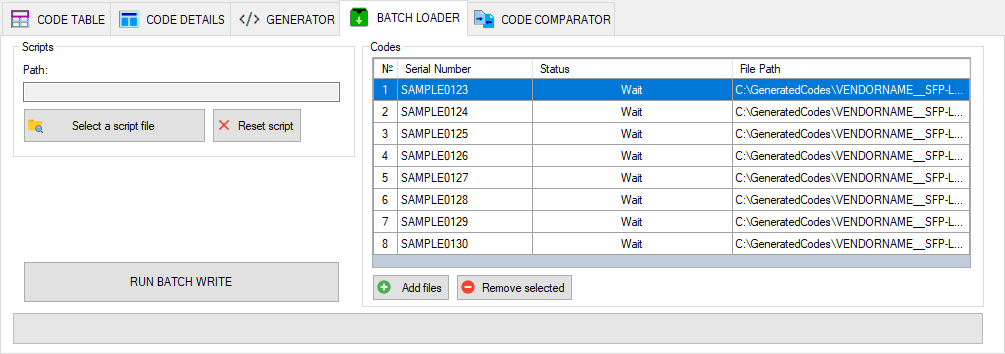
-
Insert the transceiver into the coding board port.
-
Click RUN BATCH LOADER to start the batch write.
Wait for the first write operation to finish.
The operation status is shown in the batch file list. When writing is complete, the corresponding file's status changes to Done — completed.
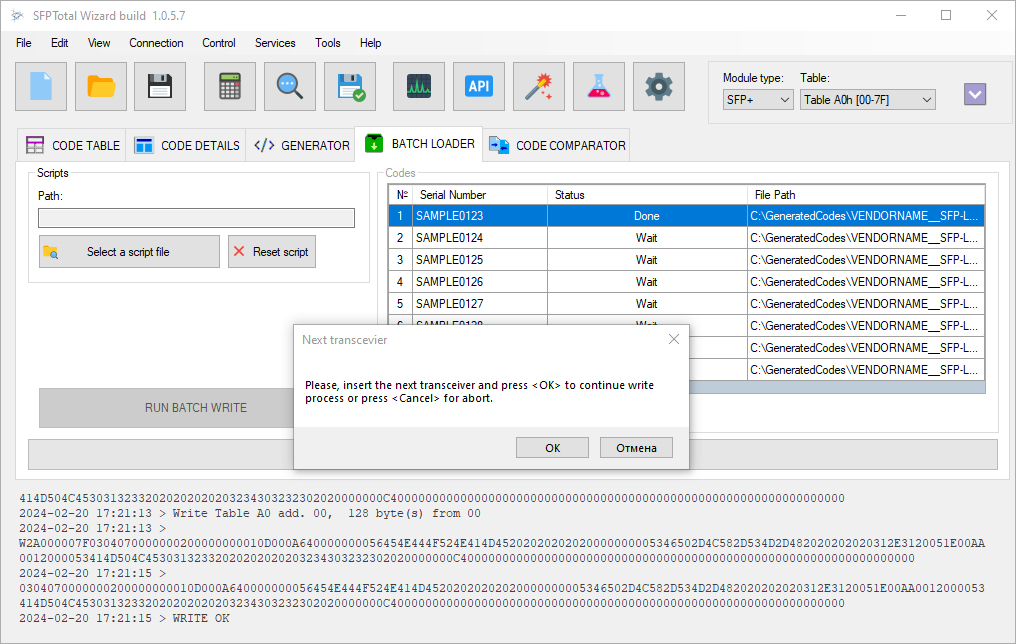
The application displays a prompt to continue the process.
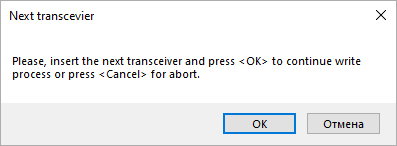
Remove the transceiver from the coding board port and connect the next one.
Click OK in the prompt for connecting the next transceiver, or Cancel to stop the process.
On the next iteration, the application loads the next firmware file from the list and performs the write procedure. It then displays the prompt again and waits for the next transceiver to be connected.
Note
By default, batch programming writes the files from the firmware list only to the selected transceiver memory area. To program multiple memory areas, use scripts.