Connecting to a PC
Connect the coding board to your computer using the supplied USB cable. The operating system will detect a new device the first time it is connected.
For example:
USB Serial Device (COM16)
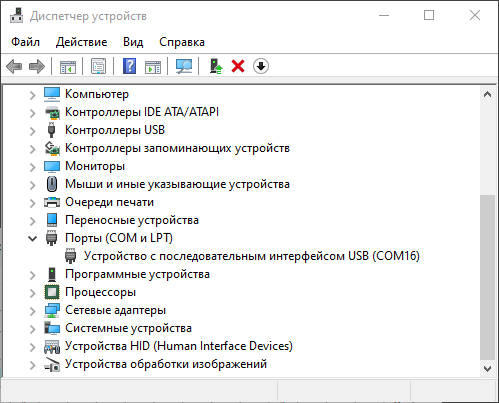
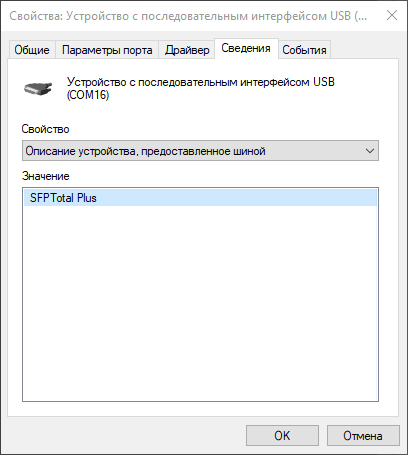
Windows 10 and later normally include a standard virtual serial port driver that should be installed automatically for the device.
If the operating system does not include a driver for the coding board, or specific driver installation policies apply to connected devices, download and install the appropriate driver for your device model manually.
Drivers for SFPTotal devices are available on the download page.
Note
- You can also connect directly to the coding board using a serial terminal application, such as HyperTerminal or PuTTY.
- Use SFPTotal protocol commands to control the device.
- You can create your own application for working with transceiver memory using the SFPTotal protocol.