Tunable DWDM channel settings
The application supports setting the channel number and wavelength of SFP+ DWDM tunable transceivers according to MSA SFF-8690: Tunable SFP+ Memory Map for ITU Frequencies .
Open the configuration interface from the menu Tools - SFP+ Tuning Management Interface
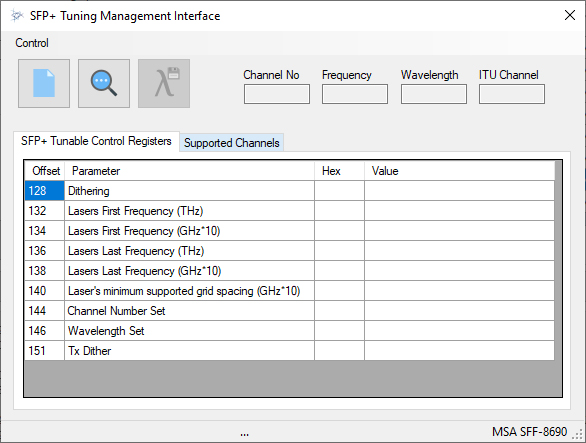
Click Read SFP+ tunable registers to read the supported channel information from the transceiver registers.
The current transceiver settings are shown on the tab labeled SFP+ Tunable Control Registers.
Supported channels are listed on the tab labeled Supported Channels.
To change the channel number, open Supported Channel and select the required channel by ITU Channel or Wavelength.
Click Set new Channel to set the new channel.
The transceiver needs time to retune. Refer to the transceiver manufacturer's documentation for laser tuning time and readiness information.