Checksum verification
The code on the transceiver's main page contains the checksums CC_BASE and CC_EXT which ensure the integrity of the firmware data: configuration registers, vendor name, transceiver part number, serial number and manufacturing date.
In the CODE DETAILS and CODE TABLE tabs, the checksums are located at
- 0x3F and 0x5F for SFP modules;
- 0xBF and 0xDF for XFP and QSFP modules;
- 0xDE for QSFP-DD modules.
By default, the application automatically recalculates checksums after code is changed in the editor. To disable automatic checksum verification, clear the checkbox in the menu Edit - Autoset checksum.
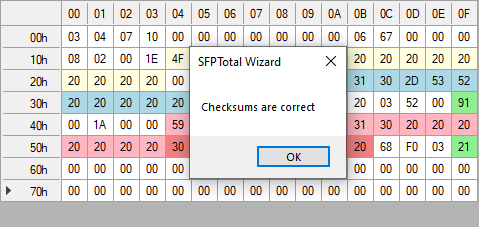
To verify checksums, use the menu Edit - Verify Checksum. The application compares the values and displays a message with the verification results. Checksum fields in the editor are highlighted in green if the checksum is correct and in red if it is incorrect.
To update the checksum, use the button on the main toolbar or the menu Edit - Set checksum.