Comparing codes
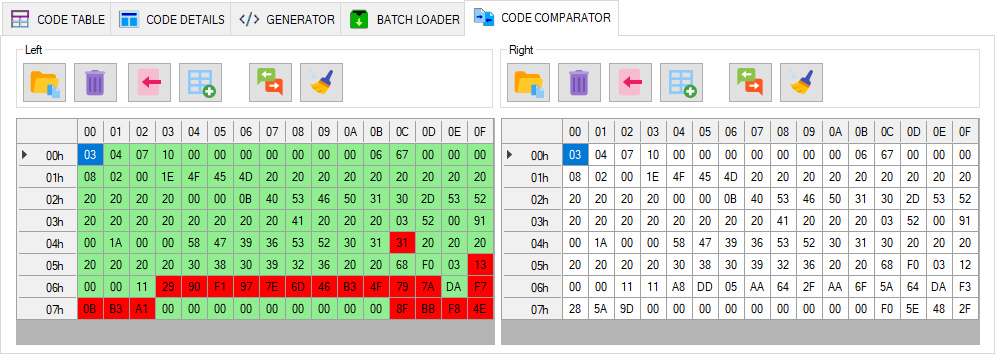
The CODE COMPARATOR tab in the main window provides tools for comparing firmware byte by byte. This tool helps you quickly find differences between files and analyze the changes required.
The comparator tab is divided into two panes, each displaying a 128-byte code table. Both panes have an identical set of control buttons.
- Load code from a file (binary data only)
- Clear the current editor area
- Import code from CODE TABLE into the current comparator pane
- Export code from the comparator pane to CODE TABLE
- Compare code and highlight differences in the current tab
- Clear difference highlighting